
Paper often disappears during a transition
Mail and forms rarely vanish while someone is actively reading them. They disappear between the mailbox and the table, between opening and deciding, or between deciding and finding the attachment, payment method, signature, appointment, or return address needed for the next action.
Adults with ADHD may experience difficulty with organization, planning, time management, remembering daily tasks, or frequently losing things. Similar paperwork problems can also come from high mail volume, shared households, inaccessible storage, frequent moves, unclear ownership, language barriers, or documents that arrive through several paper and digital channels. Losing paper is not evidence of ADHD by itself.
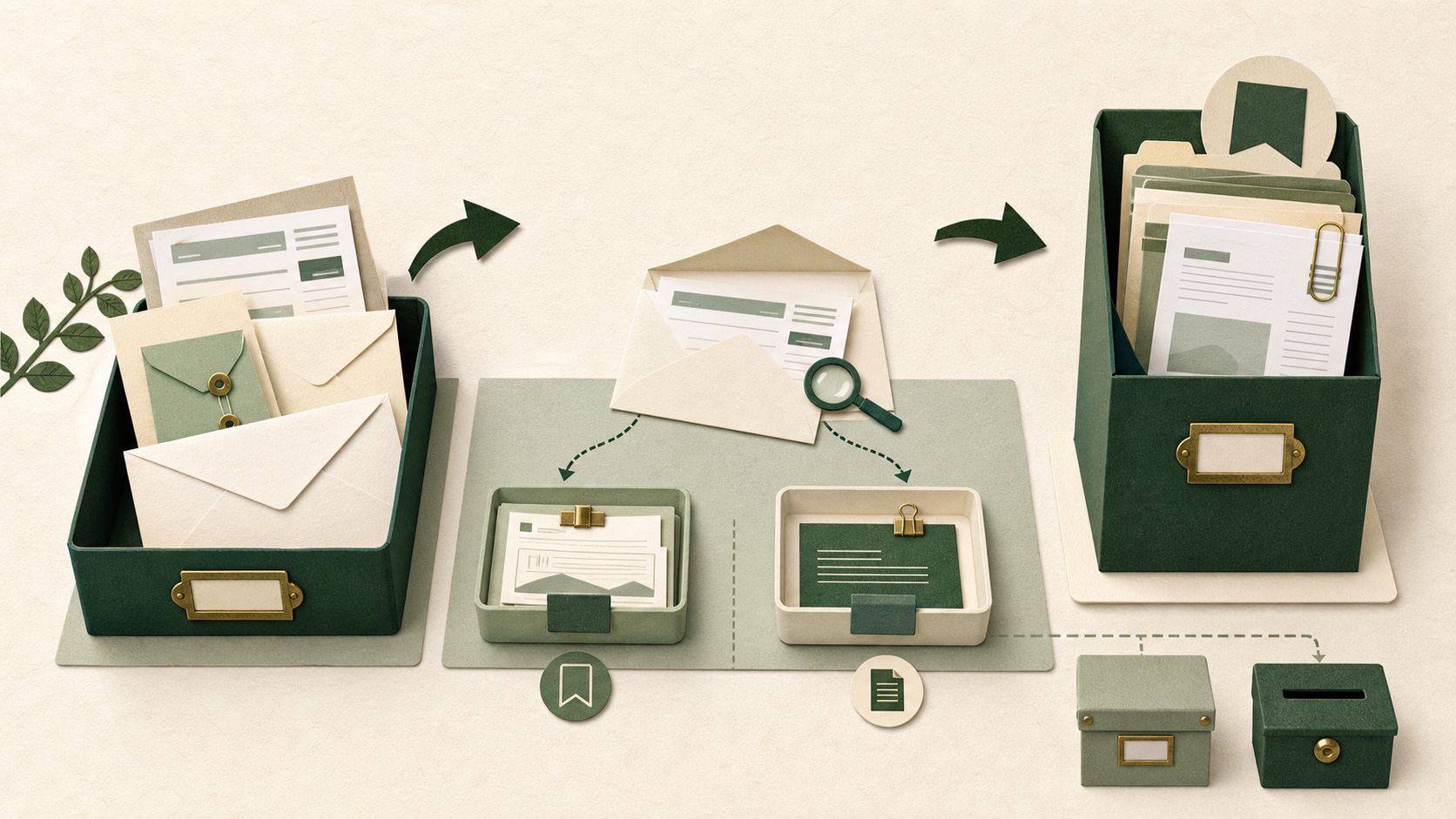
A two-stage route reduces one recurring decision: new paper always lands in one arrival tray; paper with unfinished action moves to one action folder.
Give the two places different jobs
- Arrival tray: unopened or newly received paper that has not been processed.
- Action folder: paper connected to a specific unfinished action, date, decision, or missing item.
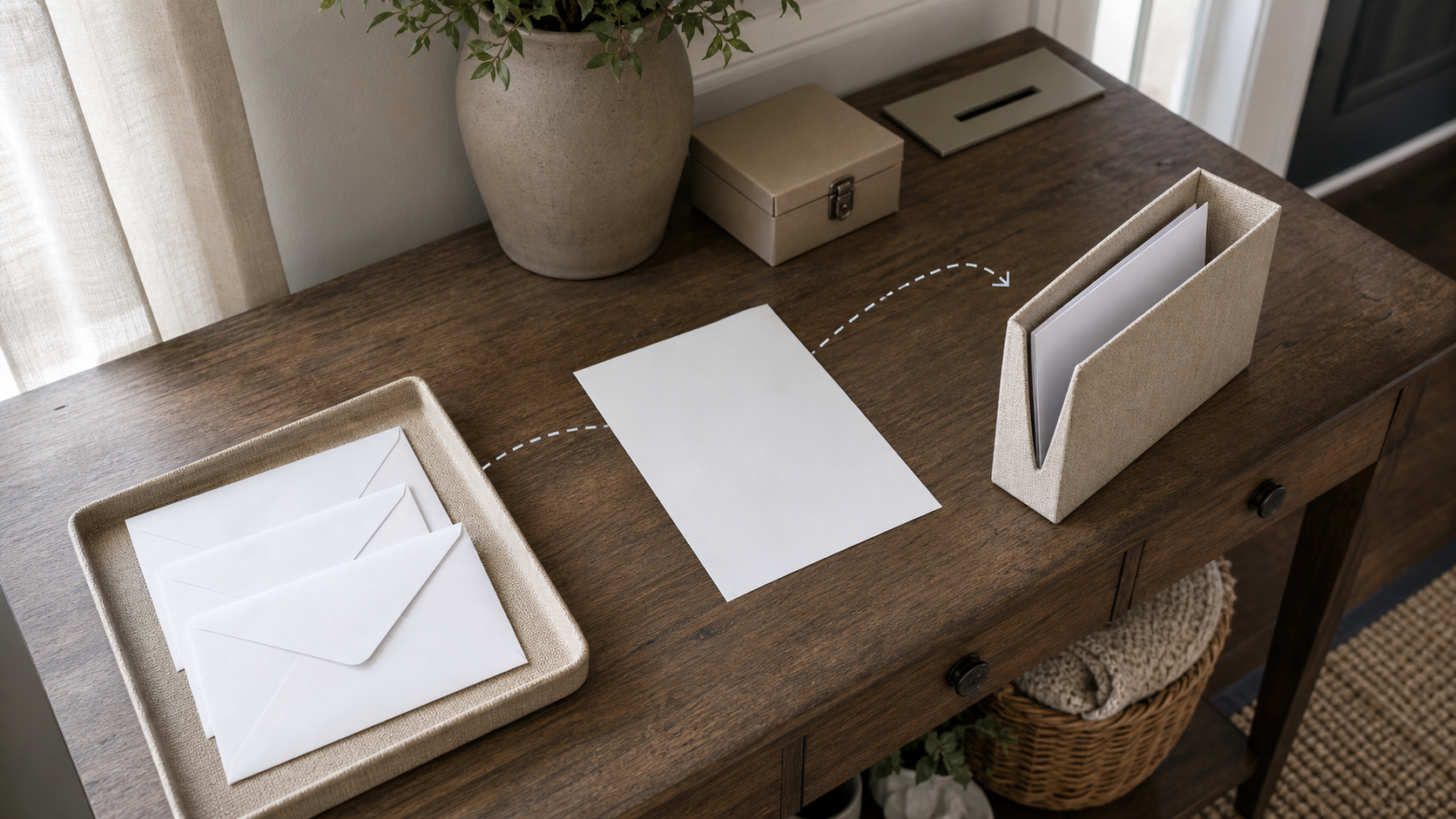
The arrival tray is not long-term storage, and the action folder is not a general archive. Reference documents leave the active route once no action remains, while sensitive disposal follows the appropriate secure method.
Place the arrival tray on the real route
- Notice where paper first enters: front door, mailbox, bag, kitchen counter, printer, or shared desk.
- Choose one open, visible tray that fits the largest routine envelope without folding important documents.
- Place it before the locations where paper currently splits into several piles.
- Tell household members what belongs there and what must go directly to a named person or secure location.
- Remove unrelated objects so the tray continues to signal unprocessed paper.
Do not put the tray where children, visitors, pets, moisture, food, heat, or unauthorized people can reach sensitive papers. Visibility should not override privacy, safety, or accessibility.
Use one rule at the moment of arrival
If you are not processing the paper now, place it in the arrival tray without making a new temporary pile. Do not rely on placing an envelope somewhere unusual so that it will feel important later.
Items with immediate safety, court, immigration, medical, benefit, tax, payment, election, housing, employment, or other high-consequence requirements may need a different official process or prompt attention. The tray is a physical routing tool, not advice about whether a document can wait.
Process one item into one clear state
- Identify the sender and verify that the document is genuine before following links, phone numbers, payment instructions, or urgent demands.
- Find the requested outcome, real due date, submission method, and proof of receipt or completion.
- Decide whether an action remains: respond, pay, schedule, sign, gather, review, dispute, ask, or no action.
- If action remains, write the next visible action in the trusted task system and place the paper in the action folder.
- If a specific date or appointment matters, create the appropriate calendar entry with the document location.
- If no action remains, move the paper to authorized reference storage or secure disposal according to the rules that apply.
Make the action folder restartable
- Keep the main document and required supporting papers together without damaging originals.
- Put the next action in the task system; do not expect the folder position to explain it.
- Record the real due date and an earlier start or check date when appropriate.
- Name what is missing: signature, account access, evidence, decision, stamp, envelope, or another person's input.
- Keep a safe way to identify the item without writing sensitive details on an exposed label.
One action folder can contain several active items only if they remain individually identifiable. If its contents become another unsearchable pile, use a small number of dividers based on action state—not a large filing taxonomy that must be remembered perfectly.
Attach the folder to a review cue
A folder does not create its own review. Choose a dependable cue such as a weekly administration block, the day before errands, or a recurring household planning session. Open the task list and the physical folder together.
The unglamorous part is the review: without a cue that brings it back, even a beautiful folder is only furniture.
During the review, check the nearest due date, missing input, next visible action, and whether the task record still matches the paper. Move completed items out of the action folder so active work remains visible.
For time-critical documents, use the reminders and backup controls appropriate to the consequence. A weekly review may be too infrequent for some deadlines.
Protect personal information and original documents
The US Federal Trade Commission advises keeping documents with personal or financial information in a safe place and shredding them before disposal. That is US consumer guidance, and local privacy, identity, recycling, records, and destruction requirements may differ.
Do not place sensitive paperwork in an open household tray if unauthorized people can see it. Use a closed or locked arrival point where needed. Do not photograph, email, or upload documents to an unapproved service merely to make them searchable.
A scan is not automatically a legally acceptable replacement for an original. Before destroying a document, check the issuing authority, professional adviser, contract, local law, tax rule, benefit program, court, employer, insurer, or other applicable source for the required format and retention period.
Rescue a backlog without processing everything
- Choose a temporary box that keeps the backlog contained and physically safe.
- First scan only for visible deadlines, unopened official-looking mail, appointments, payments, renewals, and documents connected to current disputes or services.
- Move urgent or high-consequence items into the normal processing route; do not make substantive decisions from the envelope alone.
- Process a bounded batch, such as five items or fifteen minutes, into action, reference, or secure disposal.
- Stop at the boundary and schedule the next batch rather than scattering the remaining backlog.
If the backlog may contain expired legal rights, unpaid obligations, benefit decisions, identity theft, or other serious consequences, seek qualified help instead of relying only on a home-organization method.
When the route stops working
- Paper still lands elsewhere: move the arrival tray onto the actual path or add a household collection routine with one final destination.
- The arrival tray overflows: shorten the review interval or reduce legitimate low-value mail where possible.
- The action folder overflows: check for missing task definitions, dates, decisions, or outside help rather than adding more folders first.
- Other people remove items: agree on ownership, privacy, and the authorized shared record.
- You cannot start the paperwork: identify one hidden decision or missing resource and define the next visible action.
The route to remember
New paper goes to the arrival tray. Paper with unfinished work goes to the action folder after its next action and date are recorded. Completed paper leaves the active route for authorized reference storage or secure disposal.
Thank you for giving this deliberately small system a careful try. Today, place one arrival tray on the path where paper currently enters and move one low-risk document through the route. One document is enough to test whether the two locations are usable.
If paperwork, organization, or memory difficulties remain persistent across important areas and cause meaningful impairment, consider discussing the pattern with a qualified professional or an appropriate support service. Bring examples of where documents enter, disappear, or stall and the systems already tried.
Sources and further reading
Sources support the health and diagnostic context. Practical workflow suggestions are low-risk editorial adaptations, not clinical treatment.